



Startup DreamersStartup Dreamers
  • Home
  • Startup
  • Money & Finance
  • Starting a Business
    • Branding
    • Business Ideas
    • Business Models
    • Business Plans
    • Fundraising
  • Growing a Business
  • More
    • Innovation
    • Leadership
Trending

How Elon Musk Won His No Good, Very Bad Year

December 26, 2025

WIRED Roundup: The 5 Tech and Politics Trends That Shaped 2025

December 25, 2025

AMD CEO Lisa Su Says Concerns About an AI Bubble Are Overblown

December 23, 2025
Facebook Twitter Instagram
  • Newsletter
  • Submit Articles
  • Privacy
  • Advertise
  • Contact
Facebook Twitter Instagram
Startup DreamersStartup Dreamers
  • Home
  • Startup
  • Money & Finance
  • Starting a Business
    • Branding
    • Business Ideas
    • Business Models
    • Business Plans
    • Fundraising
  • Growing a Business
  • More
    • Innovation
    • Leadership
Subscribe for Alerts
Startup DreamersStartup Dreamers
Home » Overwatch 2 Is Live On Steam, Here’s How To Connect Your Battlenet Account And Get Started
Innovation

Overwatch 2 Is Live On Steam, Here’s How To Connect Your Battlenet Account And Get Started

adminBy adminAugust 10, 20232 ViewsNo Comments3 Mins Read
Facebook Twitter Pinterest LinkedIn Tumblr Email

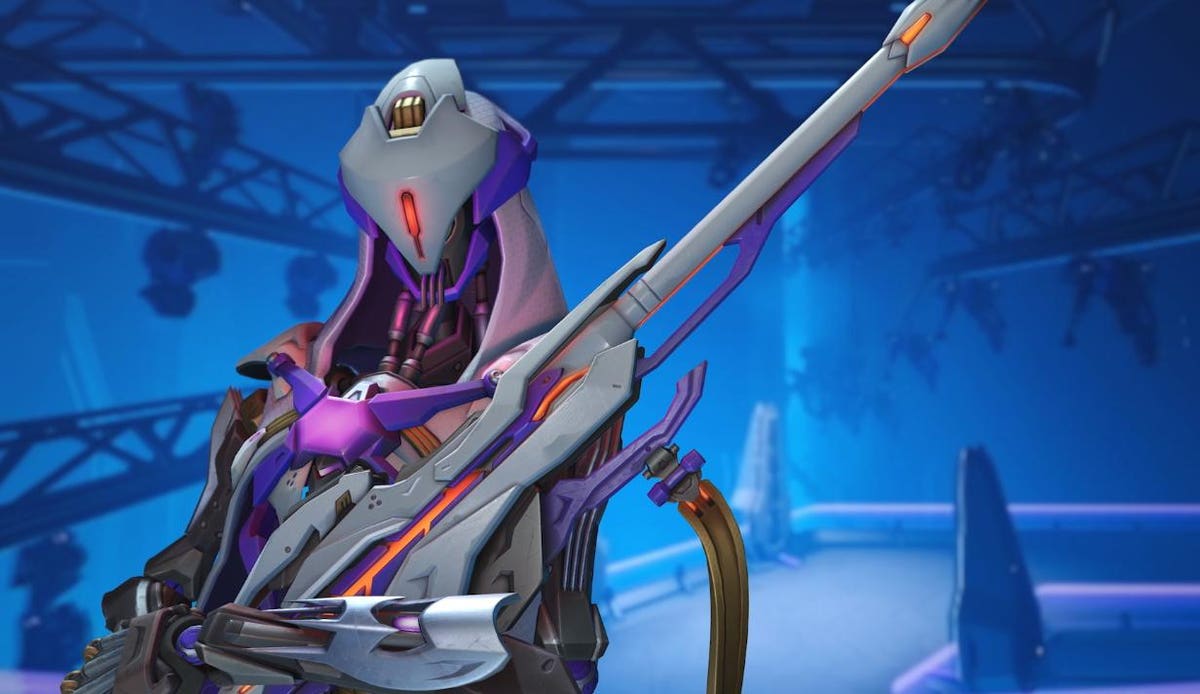
It’s a big day in the world of Overwatch 2. Not only is the major Invasion season now live, the game is now in front of many more players’ eyes on PC. Overwatch 2 has broken free from its Battle.net shackles and it’s now available on Steam.

You can download Overwatch 2 on Steam here. The game should run fine on Steam Deck too.

If you’re a newcomer to Overwatch 2, welcome to the party! It’s a fantastic game with a lot to check out. Stick with it, and I’m sure you’ll have a blast (if you have any questions, feel free to ask me on Twitter (not X), Bluesky or Threads!).

Whether this is your first time checking out Overwatch 2 or you’re a veteran player who just prefers Steam to Battle.net, there’s one thing everyone will have to do before they can play the game via Steam. You’ll have to connect to a Battle.net account.

I did this before the Steam version went live, but I’m sure the game will direct you to set up a Battle.net or connect to an existing one. On the web, here are the steps I followed:

  1. On the Connections page of your Battle.net settings, look for Steam in the Connected Accounts section and click Connect.
  2. Blizzard will then send you to the Steam website. Enter your Steam credentials if you aren’t already logged in, then click sign in.
  3. If everything goes as it should, you’ll then be taken back to the Battle.net settings page and see a message reading “Successfully retrieved your Steam account details.”
  4. Click continue to finish the process. You’ll also get an email confirmation that your accounts are connected.

One important thing to note: Make sure you’re connecting the correct Steam and Battle.net accounts. Otherwise, you’ll need to wait an entire year before you can link a new Steam account to Battle.net.

There’s going to be one really interesting thing to keep an eye on now that Overwatch 2 is on Steam. We know that the game’s player engagement has dipped somewhat over the last few months, but we don’t have a real sense of how many people are actually playing it.

However, it’s very easy to see how many people are playing any Steam game at any given time. As far as I’m aware, there’s no way for Blizzard to mask those numbers. I’m sure there will be a lot of people checking out Overwatch 2 for the first time given the Steam debut and the big marketing push Blizzard has given to Invasion. Whether the game can sustain a high player count on Steam in the coming weeks, months and years is another story.

For more news and updates on Overwatch 2 and other games, follow my Forbes blog! You’ll get a weekly round-up email that includes everything I publish. You’d be doing me a solid, too — it’s a great way to support me and my work at no cost.


Read the full article here

Share. Facebook Twitter Pinterest LinkedIn Tumblr Email

Related Articles

Google DeepMind Shows Apptronik’s Robot Doing Real-World Tasks

Innovation December 11, 2025

Wednesday, December 10 (A Nobel Effort)

Innovation December 10, 2025

Why Robots Are Evolving So Quickly Today

Innovation December 9, 2025

Why OpenAI’s AI Data Center Buildout Faces A 2026 Reality Check

Innovation December 7, 2025

Game Boy Color RPG ‘Gumball In Trick-Or-Treat Land’ Gets February Date

Innovation December 6, 2025

Today’s Wordle #1630 Hints And Answer For Friday, December 5

Innovation December 5, 2025
Add A Comment

Leave A Reply Cancel Reply

Editors Picks

How Elon Musk Won His No Good, Very Bad Year

December 26, 2025

WIRED Roundup: The 5 Tech and Politics Trends That Shaped 2025

December 25, 2025

AMD CEO Lisa Su Says Concerns About an AI Bubble Are Overblown

December 23, 2025

6 Scary Predictions for AI in 2026

December 22, 2025

Terrifying New Photos Emerge From the Jeffrey Epstein Estate

December 21, 2025

Latest Posts

Crypto Magnate Do Kwon Sentenced to 15 Years in Prison

December 18, 2025

Why SpaceX Is Finally Gearing Up to Go Public

December 17, 2025

Trump Signs Executive Order That Threatens to Punish States for Passing AI Laws

December 16, 2025

Operation Bluebird Wants to Bring ‘Twitter’ Back to Life

December 14, 2025

Here’s What You Should Know About Launching an AI Startup

December 13, 2025
Advertisement
Demo

Startup Dreamers is your one-stop website for the latest news and updates about how to start a business, follow us now to get the news that matters to you.

Facebook Twitter Instagram Pinterest YouTube
Sections
  • Growing a Business
  • Innovation
  • Leadership
  • Money & Finance
  • Starting a Business
Trending Topics
  • Branding
  • Business Ideas
  • Business Models
  • Business Plans
  • Fundraising

Subscribe to Updates

Get the latest business and startup news and updates directly to your inbox.

© 2025 Startup Dreamers. All Rights Reserved.
  • Privacy Policy
  • Terms of use
  • Press Release
  • Advertise
  • Contact

Type above and press Enter to search. Press Esc to cancel.

GET $5000 NO CREDIT