




Startup DreamersStartup Dreamers
  • Home
  • Startup
  • Money & Finance
  • Starting a Business
    • Branding
    • Business Ideas
    • Business Models
    • Business Plans
    • Fundraising
  • Growing a Business
  • More
    • Innovation
    • Leadership
Trending

Steve Jobs’ Early Apple Items Are Going Up for Auction—Along With His Bow Ties

January 12, 2026

Billion-Dollar Data Centers Are Taking Over the World

January 11, 2026

AI Devices Are Coming. Will Your Favorite Apps Be Along for the Ride?

January 10, 2026
Facebook Twitter Instagram
  • Newsletter
  • Submit Articles
  • Privacy
  • Advertise
  • Contact
Facebook Twitter Instagram
Startup DreamersStartup Dreamers
  • Home
  • Startup
  • Money & Finance
  • Starting a Business
    • Branding
    • Business Ideas
    • Business Models
    • Business Plans
    • Fundraising
  • Growing a Business
  • More
    • Innovation
    • Leadership
Subscribe for Alerts
Startup DreamersStartup Dreamers
Home » The Coolest New Feature Is About To Be Upgraded
Innovation

The Coolest New Feature Is About To Be Upgraded

adminBy adminOctober 14, 20233 ViewsNo Comments3 Mins Read
Facebook Twitter Pinterest LinkedIn Tumblr Email

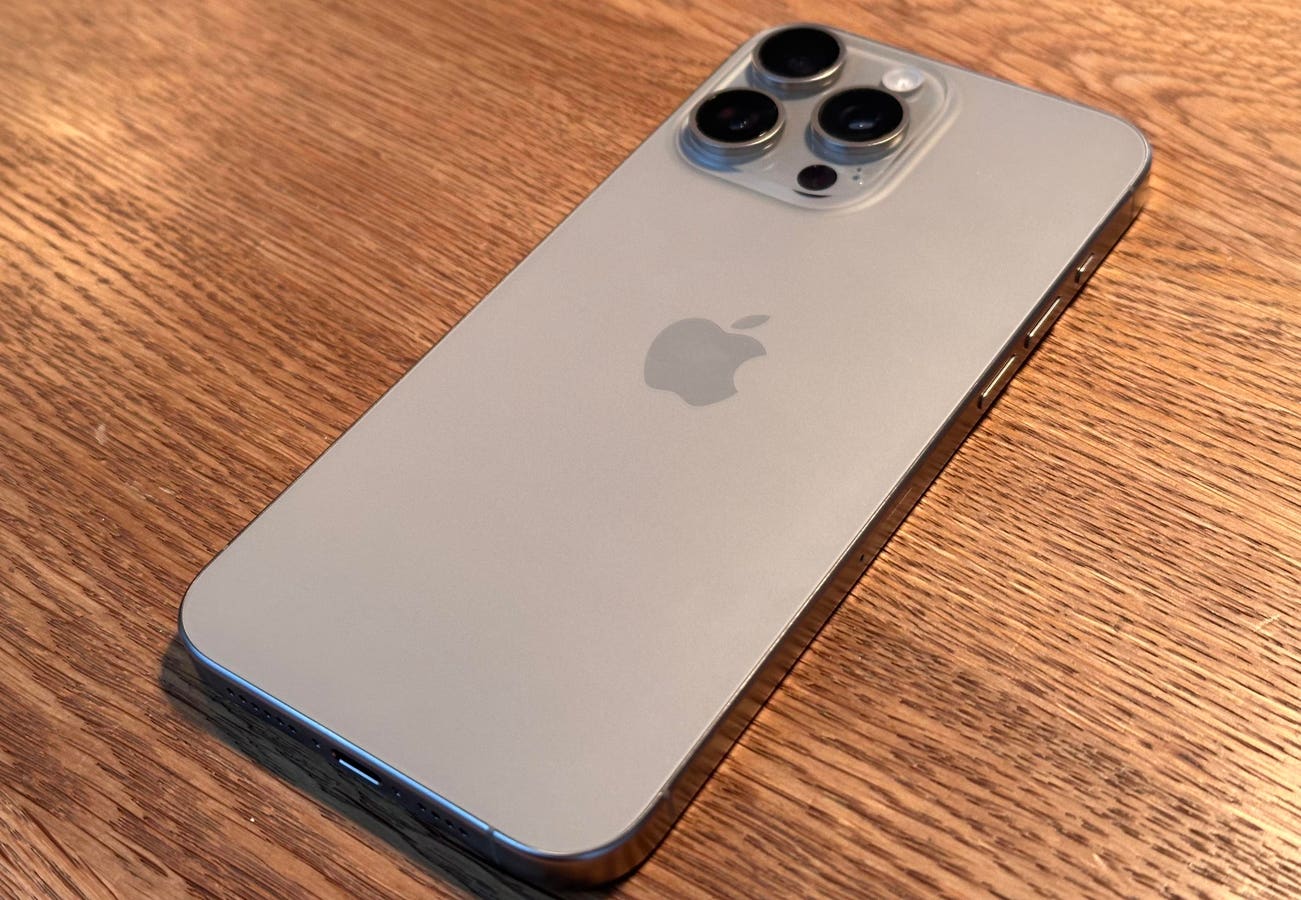
The newly released iPhone 15 Pro and iPhone 15 Pro Max include a new Action Button. Placed where the Ring/Silent slider sat on every iPhone until now, including the iPhone 15 and iPhone 15 Plus, the new button performed the same function, and lots of others. And it’s about to be upgraded.

The change will come when Apple releases iOS 17.1—expected to be the next iPhone software update, unless there’s a hasty security update in between. It’s likely that it will be here before the end of the month.

The third developer beta of iOS 17.1 was released more than a week ago and it included an update to the functionality of the Action Button.

Already, you ask? Yes, and it’s a useful enhancement.

The Action Button comes with a range of pre-set activities, all achieved by simply pressing and holding the button.

If you have the iPhone 15 Pro or iPhone 15 Pro Max, you simply go to Settings and choose Action Button. Here, you’re presented with a graphically delightful series of screens which show the purposes you can assign. Along with Silent Mode, there’s Focus so you can switch to Sleep or Do Not Disturb.

Then there’s Photo, which means you can launch the camera, choosing the regular lens, the selfie camera, video, portrait mode or portrait selfie. There’s a Flashlight option, one to start a Voice Memo, another to launch the brilliant Magnifier app, an accessibility feature or even to set the button to have no function. No, I can’t see why you’d do that, either.

And there’s one other option: Shortcut, and this may be the reason for the update coming so soon after launch. Apple says, “Open an app or run your favorite shortcut.” This last choice means you can do almost anything with the Action Button, from playing your current audiobook to setting a timer, from opening a Reminders smart list to a new Note.

With so much functionality, it seems likely that someone at Apple realized that it would be good to think about what happens when the iPhone is in your pocket. Accidentally pressing the Action Button in your pocket could lead to the phone making an accidental video recording of the inside of your pocket, which would drain the battery and be frankly disappointing visually.

So, when iOS 17.1 rolls around, it will be updated so that most functions, including Camera, Focus, Voice Memo and Flashlight won’t activate from a pocket press. Silent will still work, which makes sense.

Read the full article here

Share. Facebook Twitter Pinterest LinkedIn Tumblr Email

Related Articles

Google DeepMind Shows Apptronik’s Robot Doing Real-World Tasks

Innovation December 11, 2025

Wednesday, December 10 (A Nobel Effort)

Innovation December 10, 2025

Why Robots Are Evolving So Quickly Today

Innovation December 9, 2025

Why OpenAI’s AI Data Center Buildout Faces A 2026 Reality Check

Innovation December 7, 2025

Game Boy Color RPG ‘Gumball In Trick-Or-Treat Land’ Gets February Date

Innovation December 6, 2025

Today’s Wordle #1630 Hints And Answer For Friday, December 5

Innovation December 5, 2025
Add A Comment

Leave A Reply Cancel Reply

Editors Picks

Steve Jobs’ Early Apple Items Are Going Up for Auction—Along With His Bow Ties

January 12, 2026

Billion-Dollar Data Centers Are Taking Over the World

January 11, 2026

AI Devices Are Coming. Will Your Favorite Apps Be Along for the Ride?

January 10, 2026

Google Gemini Is Taking Control of Humanoid Robots on Auto Factory Floors

January 8, 2026

AI Labor Is Boring. AI Lust Is Big Business

January 6, 2026

Latest Posts

So Long, GPT-5. Hello, Qwen

January 2, 2026

In Cryptoland, Memecoin Fever Gives Way to a Stablecoin Boom

December 31, 2025

Apple’s App Course Runs $20,000 a Student. Is It Really Worth It?

December 29, 2025

Pinterest Users Are Tired of All the AI Slop

December 28, 2025

How Elon Musk Won His No Good, Very Bad Year

December 26, 2025
Advertisement
Demo

Startup Dreamers is your one-stop website for the latest news and updates about how to start a business, follow us now to get the news that matters to you.

Facebook Twitter Instagram Pinterest YouTube
Sections
  • Growing a Business
  • Innovation
  • Leadership
  • Money & Finance
  • Starting a Business
Trending Topics
  • Branding
  • Business Ideas
  • Business Models
  • Business Plans
  • Fundraising

Subscribe to Updates

Get the latest business and startup news and updates directly to your inbox.

© 2026 Startup Dreamers. All Rights Reserved.
  • Privacy Policy
  • Terms of use
  • Press Release
  • Advertise
  • Contact

Type above and press Enter to search. Press Esc to cancel.

GET $5000 NO CREDIT