




Startup DreamersStartup Dreamers
  • Home
  • Startup
  • Money & Finance
  • Starting a Business
    • Branding
    • Business Ideas
    • Business Models
    • Business Plans
    • Fundraising
  • Growing a Business
  • More
    • Innovation
    • Leadership
Trending

WIRED Roundup: The 5 Tech and Politics Trends That Shaped 2025

December 25, 2025

AMD CEO Lisa Su Says Concerns About an AI Bubble Are Overblown

December 23, 2025

6 Scary Predictions for AI in 2026

December 22, 2025
Facebook Twitter Instagram
  • Newsletter
  • Submit Articles
  • Privacy
  • Advertise
  • Contact
Facebook Twitter Instagram
Startup DreamersStartup Dreamers
  • Home
  • Startup
  • Money & Finance
  • Starting a Business
    • Branding
    • Business Ideas
    • Business Models
    • Business Plans
    • Fundraising
  • Growing a Business
  • More
    • Innovation
    • Leadership
Subscribe for Alerts
Startup DreamersStartup Dreamers
Home » How To Reset AirPods Or AirPods Pro
Innovation

How To Reset AirPods Or AirPods Pro

adminBy adminAugust 14, 20230 ViewsNo Comments3 Mins Read
Facebook Twitter Pinterest LinkedIn Tumblr Email

Topline

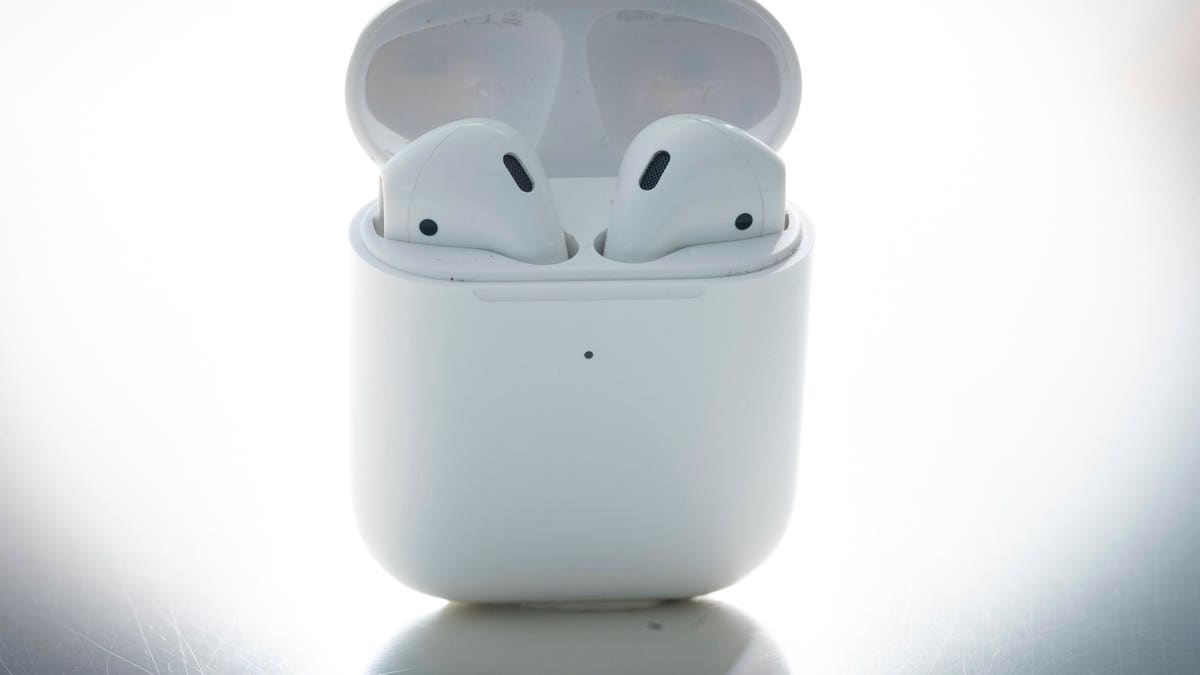
AirPods and AirPods Pro can be used for a variety of things, like watching a movie, listening to music or reading an audiobook—here’s how to reset them if you’re having issues.

Key Facts

AirPods or AirPods Pros may need to be reset if there’s an issue charging or connecting to a device, for example.

You can reset your AirPods or AirPods Pro even if you don’t have the Apple device you’ll be using them on with you.

Before resetting AirPods or AirPods Pro that have been used by someone else and connecting them to a device, first ensure that the previous person removes them from their Apple ID.

How To Reset Airpods Or Airpods Pro

To reset your AirPods or AirPods Pro, first make sure both earbuds are in the charging case and then wait 30 seconds. Next, open the charging case lid and put the AirPods or AirPods Pro in your ear. Unlock your Apple device, go to Settings and click the Bluetooth tab. If your AirPods or AirPods Pro appear on the list, click the More Info button (ⓘ) next to them, select “Forget This Device,” then tap again to confirm. To reconnect your AirPods or AirPods Pro to your device, put them back in their charging case with the lid open and place them next to your Apple device. Next, follow the steps on your device’s screen as instructions may be different for different devices.

How To Reset Airpods Or Airpods Pros Without A Device

If you don’t have your Apple device nearby, there’s still a way to reset your AirPods or AirPods Pro without them. First, make sure they’re in their charging case and keep the lid open. Next, press and hold the button at the back of the case for 15 seconds, or until the status light flashes amber, then white. To reconnect your AirPods or AirPods Pro once your device is in range, make sure they’re in their charging case with the lid open and place them close to your Apple device. Next, follow the steps on your device’s screen—they may appear differently depending on device type.

Remove Airpods Or Airpods Pro From Apple Id

AirPods or AirPods Pro can only be associated with one Apple ID. If you want to use AirPods or AirPods Pro that have been used by someone else, they must first remove them from their Apple ID. To do that on an iPhone, iPad or iPod Touch, they must first open the Find My app on their Apple device. Next, click the Items tab and then the Devices tab. Once done, click the AirPods or AirPods Pro on the list of devices, select “Remove This Device,” then tap “Remove” to confirm. To remove AirPods or AirPods Pro from an Apple ID on a Mac, open the Find My app and click the Devices tab. On the map, click the More Info tab (ⓘ) and then click “Remove This Device.”

AirPods Pro: 7 Tips And Tricks To Master Apple’s Earbuds (Forbes)

Apple AirPods Pro (2022) Review: Familiar Look, Outstanding Sound (Forbes)

Read the full article here

Share. Facebook Twitter Pinterest LinkedIn Tumblr Email

Related Articles

Google DeepMind Shows Apptronik’s Robot Doing Real-World Tasks

Innovation December 11, 2025

Wednesday, December 10 (A Nobel Effort)

Innovation December 10, 2025

Why Robots Are Evolving So Quickly Today

Innovation December 9, 2025

Why OpenAI’s AI Data Center Buildout Faces A 2026 Reality Check

Innovation December 7, 2025

Game Boy Color RPG ‘Gumball In Trick-Or-Treat Land’ Gets February Date

Innovation December 6, 2025

Today’s Wordle #1630 Hints And Answer For Friday, December 5

Innovation December 5, 2025
Add A Comment

Leave A Reply Cancel Reply

Editors Picks

WIRED Roundup: The 5 Tech and Politics Trends That Shaped 2025

December 25, 2025

AMD CEO Lisa Su Says Concerns About an AI Bubble Are Overblown

December 23, 2025

6 Scary Predictions for AI in 2026

December 22, 2025

Terrifying New Photos Emerge From the Jeffrey Epstein Estate

December 21, 2025

OpenAI Rolls Back ChatGPT’s Model Router System for Most Users

December 20, 2025

Latest Posts

Why SpaceX Is Finally Gearing Up to Go Public

December 17, 2025

Trump Signs Executive Order That Threatens to Punish States for Passing AI Laws

December 16, 2025

Operation Bluebird Wants to Bring ‘Twitter’ Back to Life

December 14, 2025

Here’s What You Should Know About Launching an AI Startup

December 13, 2025

OpenAI Launches GPT-5.2 as It Navigates ‘Code Red’

December 12, 2025
Advertisement
Demo

Startup Dreamers is your one-stop website for the latest news and updates about how to start a business, follow us now to get the news that matters to you.

Facebook Twitter Instagram Pinterest YouTube
Sections
  • Growing a Business
  • Innovation
  • Leadership
  • Money & Finance
  • Starting a Business
Trending Topics
  • Branding
  • Business Ideas
  • Business Models
  • Business Plans
  • Fundraising

Subscribe to Updates

Get the latest business and startup news and updates directly to your inbox.

© 2025 Startup Dreamers. All Rights Reserved.
  • Privacy Policy
  • Terms of use
  • Press Release
  • Advertise
  • Contact

Type above and press Enter to search. Press Esc to cancel.

GET $5000 NO CREDIT