





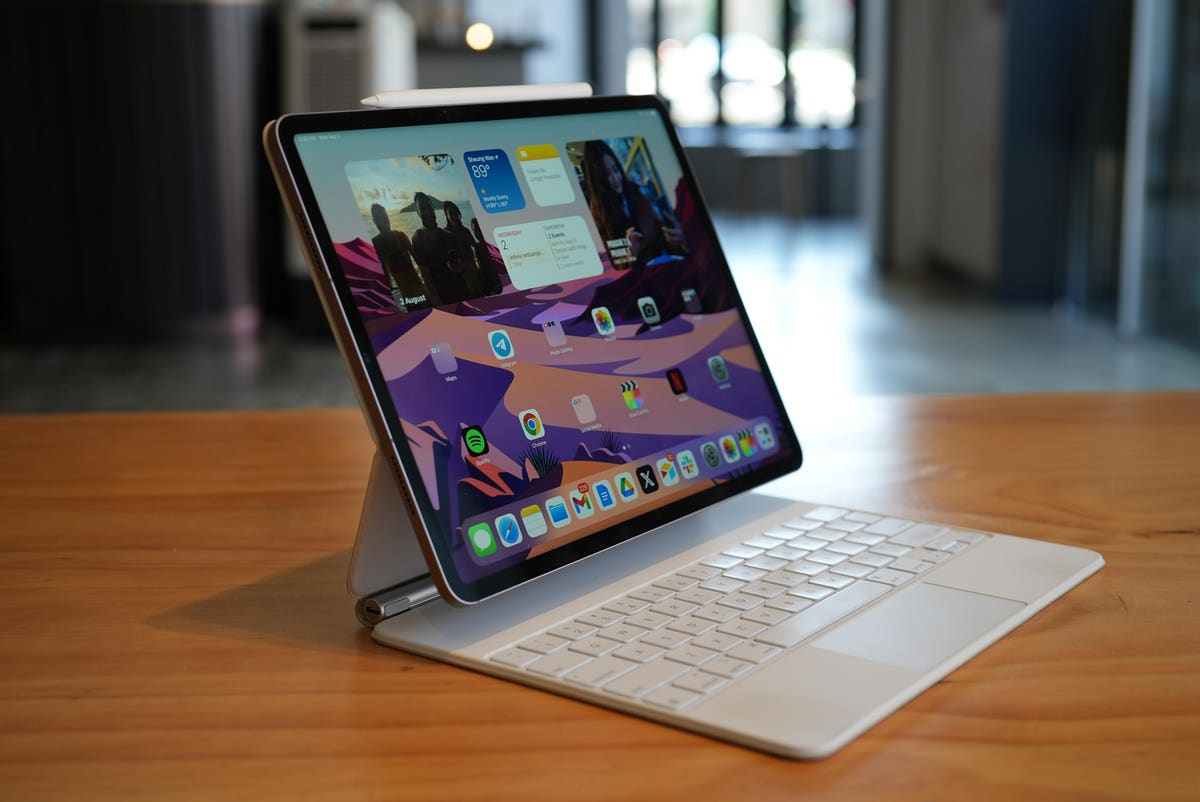
Apple’s iPad Pro made its debut in 2015, and from day one, Apple marketed it as a computer/laptop replacement. This was a claim I mocked at the time, but eight years later, Apple has finally proved me wrong.
I spent the past eight days using the 12.9-inch iPad Pro as my work machine, writing articles like this one, taking notes during conference calls, snapping and editing photos in Adobe Lightroom, and producing videos for my YouTube channel, and things went very smoothly. All the previous things that held the iPad back from being a real work machine, like lack of a file system, lack of multitasking, lack of external display support, lack of a pro-level video editing app, have all been fixed.
Of course, I could have gotten all of my tasks done slightly faster on a MacBook Pro, but the iPad Pro is more versatile—if I want to take a break from work and scroll through Instagram or play some mobile games, the iPad is much better than the Mac—and slightly more portable (the iPad Pro’s official keyboard case does make the package close to laptop weight).
And ultimately, the iPad Pro is just a lot more fun to use. Animations are livelier and more whimsical, and being able to use my finger or the Apple Pencil stylus to poke at things and drag files around feels more intuitive and natural than dragging a mouse.
I know older working professional types who look at a lot of excel sheets may still scoff at the idea of an iPad as a work machine, but I think for the younger generation—the so-called Gen Z—the iPad Pro is enough. It is their idea of a do-it-all computer. Even for me, much closer to middle age than Gen Z, I think the iPad Pro is capable enough that I can leave the laptop at home the next time I go on a short work trip (like a two-day tech conference).
My iPad setup
I did my experiment with the most current iPad, the late 2022 model running on Apple’s M2 silicon. I used the larger 12.9-inch model, paired with Apple’s official Magic Keyboard.
The first thing I want to say is the Magic Keyboard may be expensive, but it is an excellent performer. I actually prefer typing on this keyboard than many standalone keyboards I have used over the years. And Apple’s software optimization for the trackpad is so precise that the Magic Keyboard’s relatively tiny trackpad allows me to get around the homescreen perfectly fine. Again, I prefer using this trackpad more than the trackpad of many Windows laptops.
Real multitasking on the iPad allows me to use it as a writing machine
iPadOS has also become quite good at multitasking in recent years. I can open two apps at once in split-screen mode, or I can activate “Stage Manager” to open more apps in smaller resizable windows. The iPad Pro’s 12.9-inch screen is still a bit cramped, the iPad Pro also now supports external displays, so I can plug the iPad into another screen, or a pair of AR glasses, and I can get a second homescreen for the iPad software, on which I can sprawl more apps.
With the excellent keyboard and trackpad along with robust multitasking system, I can now write articles for this website, as well as others, perfectly fine. Apple’s Safari is quite good at handling various CMS (content management system) tasks.
The improved file management system with iCloud support
The iPad adopted a self-controlled file management system about three or four years ago, and while it was quite limited at first, it’s become much better now, allowing me to download files directly to the iPad and able to find the file. I can drag that file directly into many apps, including Gmail, and the image uploader of this site’s CMS.
I also love that I can connect my entire Mac homescreen to iCloud drive, meaning any files sitting on my Mac homescreen, I can access on the iPad or iPhone via the Files app. I’ve heard Microsoft and Android fans argue their version of the cloud software can do the same thing. But allow me to explain: with Google Drive, I have to manually upload files to it, before I can access those files on other devices. On Apple’s iCloud drive, I don’t have to manually upload files. I just place a file on the Mac homescreen (which is how most of us store frequently used files on the computer naturally) and I can access those files later on another Apple device. This has come in handy many times when a colleague would ask me for a document that had been sitting on my Mac, but I was out of town without my computer. I could grab the file from my iPhone or iPad.
Video editing on the M2 iPad Pro
Writing is just half of my work now, as I also make videos. For years, I used Final Cut Pro on the MacBook, and so when Apple launched an iPad version of Final Cut Pro a few months ago, I was ecstatic.
It is here that I feel the need to mention that I am an Android smartphone user mostly, because I know loyal Apple users have a reputation for having tunnel vision, waxing poetic about Apple services without having tried other alternatives. I often try other alternatives, and for computing, I really do prefer Apple’s software.
Final Cut Pro is Apple’s native software and it is so well optimized for the M2, Apple’s silicon. I can put several layers of 4K videos on the timeline, scrub through them without any lag at all. This is unheard of on a thin portable tablet. If I try to do this with an Android tablet, there will be occasional stutters, or at least a few seconds of loading time before I can begin moving the timeline. With Final Cut Pro on the M2 iPad Pro, everything was instant. Even rendering and exporting the video, the process was unbelievably fast for a mobile tablet. The YouTube video I embedded earlier in the article was actually almost entirely made on the iPad Pro.
The iPad Pro’s solid camera system allows creatives to shoot on the iPad and then directly edit the footage on the same device. For example, this Instagram Reel below was shot by a videographer on the iPad Pro, and edited via Final Cut. A portable machine this capable opens up a world of possibilities for creative professionals.
Signing documents and sketching with Apple Pencil
Another thing I often have to do is sign documents—NDAs for upcoming products, freelancer contracts—and having a computer device with a touchscreen and stylus support makes the process a lot faster than on a traditional computer. On a laptop, I have to jump through hoops to get a digital signature on a document, including signing on a piece of paper and then scanning that piece of paper using the computer’s poor webcam.
With the iPad Pro, I just sign it on screen. The Apple Pencil has also reignited my childhood hobby of drawing. I grew up reading American comics and manga, and dreamed of being a comic artist. I never got there. But at least the iPad Pro has inspired me to pick up the hobby.
A lot of what I said can be done on Android tablets, like the just-released Samsung Galaxy Tab S9 Ultra. But the iPad Pro is a bit more polished, with a superior app ecosystem (app developers are enticed to prioritize iPhone/iPad apps over Android apps due to Apple users having more money to spend), and the M2 chip is noticeably more powerful than Qualcomm’s best chip running in the best Android tablets.
Again, I am an Android smartphone user, I would love to have a Samsung or Xiaomi tablet that can be just as good or better than the iPad Pro. But they’re not. Not for my usage.
The iPad Pro with M2 is basically more powerful and capable than most Windows laptops on the market right now, and arguably many MacBooks, too. You’d have to go with a more spec’d out Windows or Apple laptop to have more power. But even then, the iPad Pro is more fun.
Read the full article here